您现在的位置是:首页 >其他 >proFTPd 配置DefaultRoot 后启动proFTPd 用windows电脑进行连接显示Windows无会话权限 FTP会话断开之后还会导致ssh ftp会话断开一直无法连接问题的解决办法 网站首页其他
proFTPd 配置DefaultRoot 后启动proFTPd 用windows电脑进行连接显示Windows无会话权限 FTP会话断开之后还会导致ssh ftp会话断开一直无法连接问题的解决办法
简介proFTPd 配置DefaultRoot 后启动proFTPd 用windows电脑进行连接显示Windows无会话权限 FTP会话断开之后还会导致ssh ftp会话断开一直无法连接问题的解决办法
报错案例:root@localhost:~# Connection to 192.168.1.16 closed by remote host.
Connection to 192.168.1.16 closed.
正常情况下/etc/proftpd/proftpd.conf文件配置DefaultRoot /storage/sdcard/ kyon
<Directory /storage/sdcard/>
AllowOverwrite on
<Limit ALL>
AllowALL
</Limit>
</Directory>
即可正常访问但是有时候不知道为什么,设置之后再起洞proftpd然后使用windows电脑连接就会显示无法访问可能没有权限而且断开ftp会话,同时ssh也莫名其妙断开了,再连ssh都连不上了只能重启再开
#
# /etc/proftpd/proftpd.conf -- This is a basic ProFTPD configuration file.
# To really apply changes, reload proftpd after modifications, if
# it runs in daemon mode. It is not required in inetd/xinetd mode.
#

# Includes DSO modules
Include /etc/proftpd/modules.conf

# Set off to disable IPv6 support which is annoying on IPv4 only boxes.
UseIPv6 on
# If set on you can experience a longer connection delay in many cases.
<IfModule mod_ident.c>
  IdentLookups off
</IfModule>

ServerName "Debian"
# Set to inetd only if you would run proftpd by inetd/xinetd/socket.
# Read README.Debian for more information on proper configuration.
ServerType standalone
DeferWelcome off

# Disable MultilineRFC2228 per https://github.com/proftpd/proftpd/issues/1085
# MultilineRFC2228on
DefaultServer on
ShowSymlinks on

TimeoutNoTransfer 600
TimeoutStalled 600
TimeoutIdle 1200

DisplayLogin welcome.msg
DisplayChdir .message true
ListOptions "-l"

DenyFilter *.*/

# Use this to jail all users in their homes
#DefaultRoot /storage/sdcard/ kyon

# Users require a valid shell listed in /etc/shells to login.
# Use this directive to release that constrain.
# RequireValidShelloff

# Port 21 is the standard FTP port.
Port 21

# In some cases you have to specify passive ports range to by-pass
# firewall limitations. Ephemeral ports can be used for that, but
# feel free to use a more narrow range.
# PassivePorts 49152 65534

# If your host was NATted, this option is useful in order to
# allow passive tranfers to work. You have to use your public
# address and opening the passive ports used on your firewall as well.
# MasqueradeAddress 1.2.3.4

# This is useful for masquerading address with dynamic IPs:
# refresh any configured MasqueradeAddress directives every 8 hours
<IfModule mod_dynmasq.c>
# DynMasqRefresh 28800
</IfModule>

# To prevent DoS attacks, set the maximum number of child processes
# to 30.  If you need to allow more than 30 concurrent connections
# at once, simply increase this value.  Note that this ONLY works
# in standalone mode, in inetd mode you should use an inetd server
# that allows you to limit maximum number of processes per service
# (such as xinetd)
MaxInstances 30

# Set the user and group that the server normally runs at.
User proftpd
Group nogroup

# Umask 022 is a good standard umask to prevent new files and dirs
# (second parm) from being group and world writable.
Umask 777 777
# Normally, we want files to be overwriteable.
AllowOverwrite on

# Uncomment this if you are using NIS or LDAP via NSS to retrieve passwords:
# PersistentPasswd off

# This is required to use both PAM-based authentication and local passwords
# AuthOrder mod_auth_pam.c* mod_auth_unix.c

# Be warned: use of this directive impacts CPU average load!
# Uncomment this if you like to see progress and transfer rate with ftpwho
# in downloads. That is not needed for uploads rates.
#
# UseSendFile off

TransferLog /var/log/proftpd/xferlog
SystemLog /var/log/proftpd/proftpd.log

# Logging onto /var/log/lastlog is enabled but set to off by default
#UseLastlog on

# In order to keep log file dates consistent after chroot, use timezone info
# from /etc/localtime.  If this is not set, and proftpd is configured to
# chroot (e.g. DefaultRoot or <Anonymous>), it will use the non-daylight
# savings timezone regardless of whether DST is in effect.
#SetEnv TZ :/etc/localtime

<IfModule mod_quotatab.c>
QuotaEngine off
</IfModule>

<IfModule mod_ratio.c>
Ratios off
</IfModule>


# Delay engine reduces impact of the so-called Timing Attack described in
# http://www.securityfocus.com/bid/11430/discuss
# It is on by default.
<IfModule mod_delay.c>
DelayEngine on
</IfModule>

<IfModule mod_ctrls.c>
ControlsEngine off
ControlsMaxClients 2
ControlsLog /var/log/proftpd/controls.log
ControlsInterval 5
ControlsSocket /var/run/proftpd/proftpd.sock
</IfModule>

<IfModule mod_ctrls_admin.c>
AdminControlsEngine off
</IfModule>

#
# Alternative authentication frameworks
#
#Include /etc/proftpd/ldap.conf
#Include /etc/proftpd/sql.conf

#
# This is used for FTPS connections
#
#Include /etc/proftpd/tls.conf

#
# This is used for SFTP connections
#
#Include /etc/proftpd/sftp.conf

#
# This is used for other add-on modules
#
#Include /etc/proftpd/dnsbl.conf
#Include /etc/proftpd/geoip.conf
#Include /etc/proftpd/snmp.conf

#
# Useful to keep VirtualHost/VirtualRoot directives separated
#
#Include /etc/proftpd/virtuals.conf

# A basic anonymous configuration, no upload directories.

# <Anonymous ~ftp>
#   User ftp
#   Group nogroup
#   # We want clients to be able to login with "anonymous" as well as "ftp"
#   UserAlias anonymous ftp
#   # Cosmetic changes, all files belongs to ftp user
#   DirFakeUser on ftp
#   DirFakeGroup on ftp
#
#   RequireValidShell off
#
#   # Limit the maximum number of anonymous logins
#   MaxClients 10
#
#   # We want 'welcome.msg' displayed at login, and '.message' displayed
#   # in each newly chdired directory.
#   DisplayLogin welcome.msg
#   DisplayChdir .message
#
#   # Limit WRITE everywhere in the anonymous chroot
#   <Directory *>
#     <Limit WRITE>
#       DenyAll
#     </Limit>
#   </Directory>
#
#   # Uncomment this if you're brave.
#   # <Directory incoming>
#   #   # Umask 022 is a good standard umask to prevent new files and dirs
#   #   # (second parm) from being group and world writable.
#   #   Umask022  022
#   #   <Limit READ WRITE>
#   #     DenyAll
#   #     </Limit>
#   #       <Limit STOR>
#   #         AllowAll
#   #     </Limit>
#   # </Directory>
#
# </Anonymous>

<Directory /storage/sdcard/>
     Umask 022  022
    <Limit READ WRITE>
        AllowAll
    </Limit>
</Directory>

<Directory /sdcard>
    Umask 022  022
    <Limit READ WRITE>
        AllowAll
    </Limit>
</Directory>

<Directory /home/kyon/sdcard/>
    Umask 022  022
    <Limit READ WRITE>
        AllowAll
    </Limit>
</Directory>
# Include other custom configuration files
# !! Please note, that this statement will read /all/ file from this subdir,
# i.e. backup files created by your editor, too !!!
# Eventually create file patterns like this: /etc/proftpd/conf.d/*.conf
#
Include /etc/proftpd/conf.d/
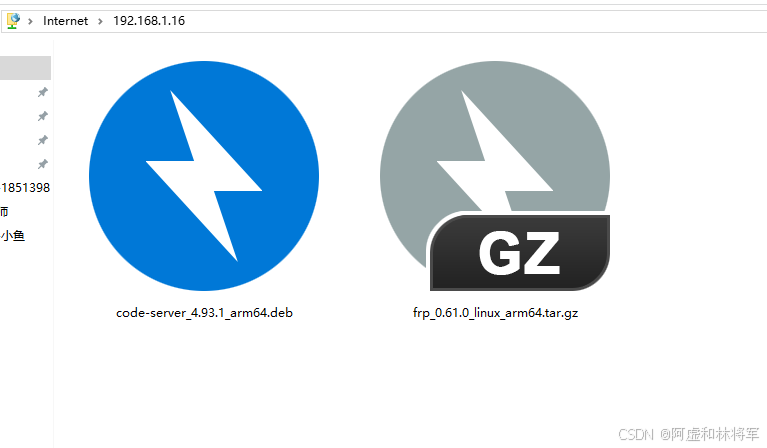
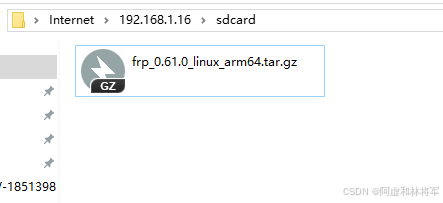
解决办法就是:如上把注释掉#DefaultRoot /storage/sdcard/ kyon或者直接删除,然后在默认文件下创建目标文件夹软连接到默认文件夹下,因为没有DefaultRoot设置时登录就会进入用户文件夹,所以我们通过设置软连接欺骗ftp这个文件夹是用户文件夹下的,同时以防万一把前一步的Direct什么什么的protfpd自带权限配置也带上只需要一句ln -s /storage/sdcard/ /home/kyon/sdcard访问就是直接登录用户后加上目标文件夹即可访问,因为这个软连接windows不知道的但是路径里写上Linux就会反馈文件夹给windows变能用
风语者!平时喜欢研究各种技术,目前在从事后端开发工作,热爱生活、热爱工作。




站长推荐
- QT多线程的5种用法,通过使用线程解决UI主界面的耗时操作代码,防止界面卡死。
 QT多线程的5种用法,通过使用线程解决UI主界面的耗时操作代码,防止界面卡死。...
 - U8W/U8W-Mini使用与常见问题解决
 U8W/U8W-Mini使用与常见问题解决
 - stm32使用HAL库配置串口中断收发数据(保姆级教程)
 stm32使用HAL库配置串口中断收发数据(保姆级教程)
 - 分享几个国内免费的ChatGPT镜像网址(亲测有效)
 分享几个国内免费的ChatGPT镜像网址(亲测有效)
 - Allegro16.6差分等长设置及走线总结
 Allegro16.6差分等长设置及走线总结